.png?alt=media&token=cc2e81c0-8fa4-4090-83e1-8f3276e0bc91)
Google Ads Location Targeting: Why You Get Leads from the Wrong Area
Learn why Google Ads brings out-of-area enquiries. Compare presence and interest targeting, review location reports and qualify leads before changing your budget.
Published on: 2026-10-20 by Shrikant Shenoy
Getting enquiries outside your service area? Review location settings, job locations and campaign reports before changing your Google Ads budget.
You pay for enquiries, then discover the prospect needs a service somewhere your team cannot work. Before increasing the budget or blaming the whole campaign, check whether the campaign's location rules match the service you actually sell.
Google Ads can generate out-of-area enquiries because the campaign includes people interested in your target location, the selected geography is broader than your service area, location signals are imperfect, or the enquiry came from another source. Compare campaign settings, location reports and the prospect's requested service address before changing targeting.
This guide focuses on Search campaigns for service businesses. It offers a practical review process, not a diagnosis of an account we have not inspected. Interface options and reporting can differ by campaign type.
What is the difference between presence and location interest?
Google's advanced location guidance distinguishes two targeting approaches. Presence considers people likely to be in or regularly in the selected area. Presence or interest also includes people who have shown interest in that area. Selecting a city therefore does not always mean reaching only people currently inside its boundaries.
For a service that requires a local visit, reviewing presence targeting is a sensible starting point. It is not automatically right for every business: someone living elsewhere may be arranging work for a property in your area. Evaluate where the service is needed, not just where the buyer happens to be.
Which location should a service business qualify?
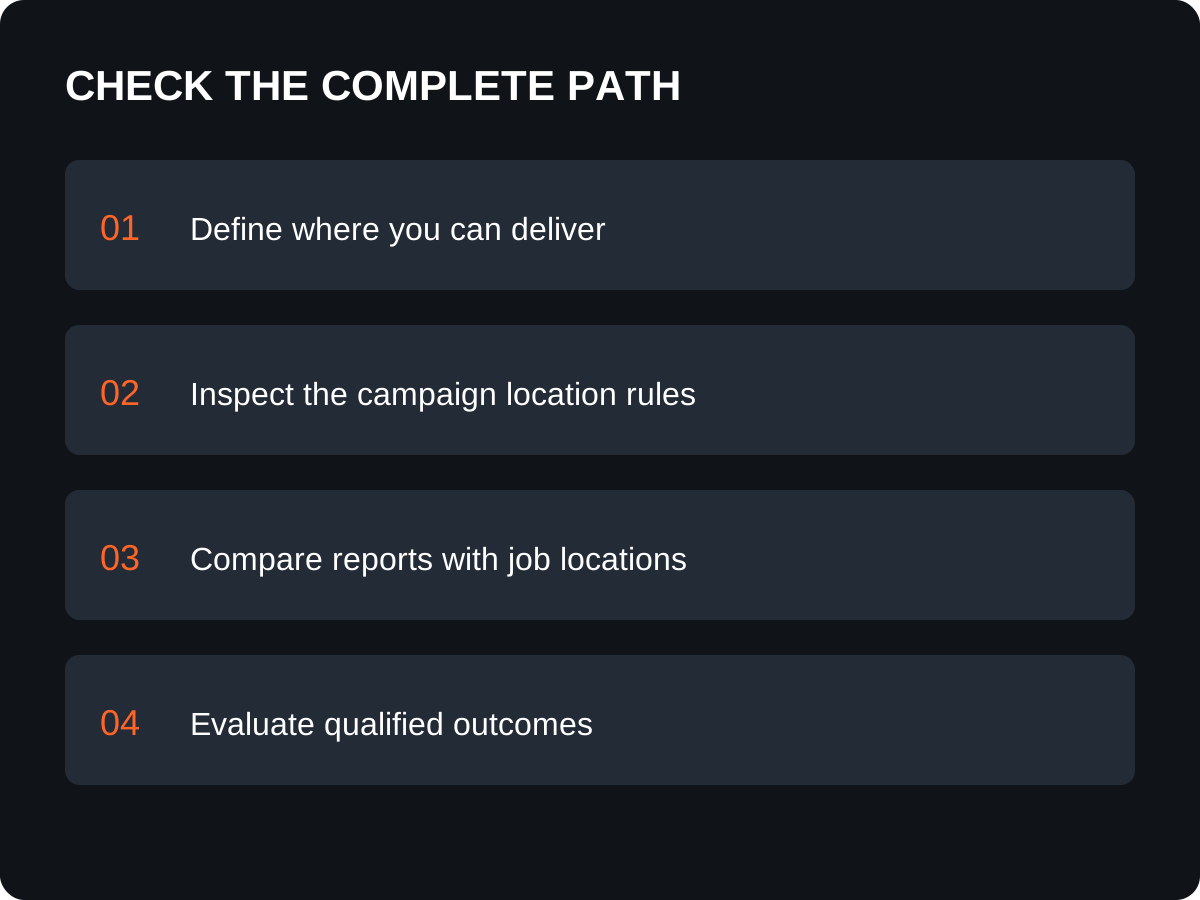
Qualify the location where the work must happen. A prospect's current location, telephone number and requested service address can be different. Ask for the city or postcode needed to establish eligibility; do not collect a full address before it serves a practical purpose.
Hypothetical example: a Thane installation business can serve selected nearby areas but cannot travel across Maharashtra. A buyer currently in Pune may still need installation at a Thane property. Rejecting that enquiry solely because the caller is outside Thane would confuse buyer location with job location. Conversely, a Thane-based caller requesting work in an unsupported city is not a suitable local job.
A remote consultancy has a different constraint. It may serve US clients from India without local travel. Its campaign brief should define supported markets, working hours, service fit and qualification criteria. A foreign business address is not required to describe a genuine remote service, and you should not invent one.
What should you check before changing the campaign?
Use the following diagnostic worksheet to distinguish targeting issues from measurement and enquiry-handling issues. These are recommended checks, not proof that any single setting caused the problem.
| Observed problem | Evidence to inspect | Practical next step |
|---|---|---|
| Prospects want work outside your area | Requested job city, campaign geography and exclusions | Correct the service-area brief and review eligible targets. |
| Selected city looks correct but buyers are elsewhere | Presence versus interest setting and actual job location | Decide whether outside buyers can still purchase a valid local service. |
| Analytics geography differs from Ads | Report definition, source and date range | Compare like-for-like records before calling the difference wasted spend. |
| Sales says every enquiry is from Ads | Recorded campaign attribution and other acquisition sources | Fix source capture before changing an unrelated campaign. |
| Enquiries are local but unsuitable | Requested service, budget fit, search intent and follow-up | Investigate qualification rather than narrowing geography again. |
Why are location reports not a perfect map of customers?
Google describes location detection as using signals such as IP addresses and device location. Those signals have limitations; location targeting is not a precise boundary enforcement system. Read how Google determines geographic location before promising that no outside enquiry will ever appear.
The matched locations report helps investigate geographic matches. Record which report and campaign you used, and compare the same reporting period. A matched area does not by itself establish where a customer wants the work performed. Combine the report with the service-location answer captured during qualification.
Do not label every unfamiliar city as fraud. Investigate repeat patterns and their business impact. A small number of ambiguous records is a different problem from a sustained stream of jobs you cannot accept.
How should you test a targeting change?
Document the reason for the change and evaluate qualified outcomes after it. Avoid changing geography, landing pages, bidding and every keyword simultaneously if your aim is to understand the effect of location targeting.
- Write down eligible service areas and genuine exceptions.
- Save the existing campaign targets, exclusions and location option.
- Review the available settings in the actual Search campaign before editing.
- Agree on one change and record its date, owner and rationale.
- Keep checking enquiry source and requested job location.
- Review spend, enquiries, qualified opportunities and customers together.
An enquiry is a request for information. A qualified opportunity meets your agreed service and commercial criteria. A customer has purchased. Fewer enquiries can be acceptable if unsuitable jobs fall, but lower volume alone is not success. Allow for your normal sales delay before comparing completed sales, and avoid conclusions from a handful of calls.
What should an agency deliver in a location-targeting review?
Ask for a written service-area brief, a record of current settings, a sample of properly attributed unsuitable enquiries, proposed changes and a review plan. The agency should explain who will qualify incoming enquiries and how that feedback reaches campaign management.
Request clear boundaries between campaign changes, landing-page work and CRM changes. A location setting will not repair a broken form or an unanswered enquiry. Use our Google Ads lead-quality guide for the wider diagnosis and our pricing guide to compare the proposed scope.
Get help reviewing your Google Ads service area
Discuss Your Project with Diginfotech Solutions. Share your website, service areas, campaign type, approximate monthly ad spend and a summary of the unsuitable enquiries. Do not send account passwords or identifiable customer records in the initial message.
We are based in Thane, India, and serve Indian and international clients. Explore our Google Ads management services and company information. The first useful outcome is a clear investigation scope and an agreed definition of a qualified enquiry, not a guarantee of leads or rankings.
Enjoyed this article?
Add Diginfotech Solutions as a Preferred Source on Google to see more of our content in Search.